 Português
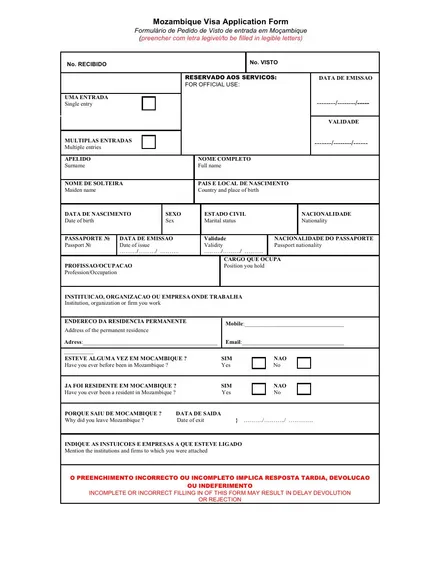
Step by step
How to fill it in
- Print both pages and fill them in legibly. The PDF has no interactive fields; to type on it, use a PDF annotation tool before printing.
- Fill in every field that applies to you, with an up-to-date email address and telephone number. Leave the “For official use” boxes blank.
- Glue a passport-size photograph in the top corner of the first page.
- Sign and date the end of the second page.
- Scan both pages into a single PDF.
Sending
What to send with the form
- A copy of the identification pages of your passport.
- The documents for the visa you are applying for: employment contract, letter from the educational institution, or note verbale.
- Everything as PDF, by email, to info@embassymozambique.se.
- Fees are paid in Swedish kronor, only after the Embassy notifies you. See the fee table.
ℹ️ Check your route first: use this form only when the Embassy asks for an Embassy application. For eTA or e-Visa, follow the official portal. Entry guide.
Applications that use this form
Work visaFor holders of a contract with an entity in Mozambique. The application goes to SENAMI in Maputo for approval; apply well in advance.
Student visaFor study at a recognised educational institution in Mozambique, with an admission or enrolment letter.
Diplomatic visaExclusively for diplomatic passport holders, with a note verbale. Appointment by telephone or email.
Official visaFor official and service passports and laissez-passer, with a note verbale and two photographs.
Other documents
The arrow downloads the PDF; the title opens the page explaining it.
Consular
Legislation
Other
Updated: 17 September 2026